


Purchasing an eBook at SMASHWORDS.COM!!!
- Dec 14, 2018
- 1 min read
eBooks purchasing made easier with the following steps via cell phone, so let's get started!!!
1) Type SMASHWORDS (any search engine)
2) Click on SMASHWORDS

3) Select JOIN

4) Scroll down and create the ACCOUNT


5) Confirmation EMAIL, and click the LINK


6) WELCOME BACK!!! Choose a FILTER

a. "Include mainstream erotica" and

b. THEN "Include all erotica"

7) ACTION SUCCESSFUL!!!

8) Select book by AUTHOR or TITLE (be exact in spacing):
a. Author - M.E. Blair
b. Title - Thank You, Rebekah: Book One ... BABYDOLL

9) Select "Thank You, Rebekah: Book One ... BABYDOLL (far right)
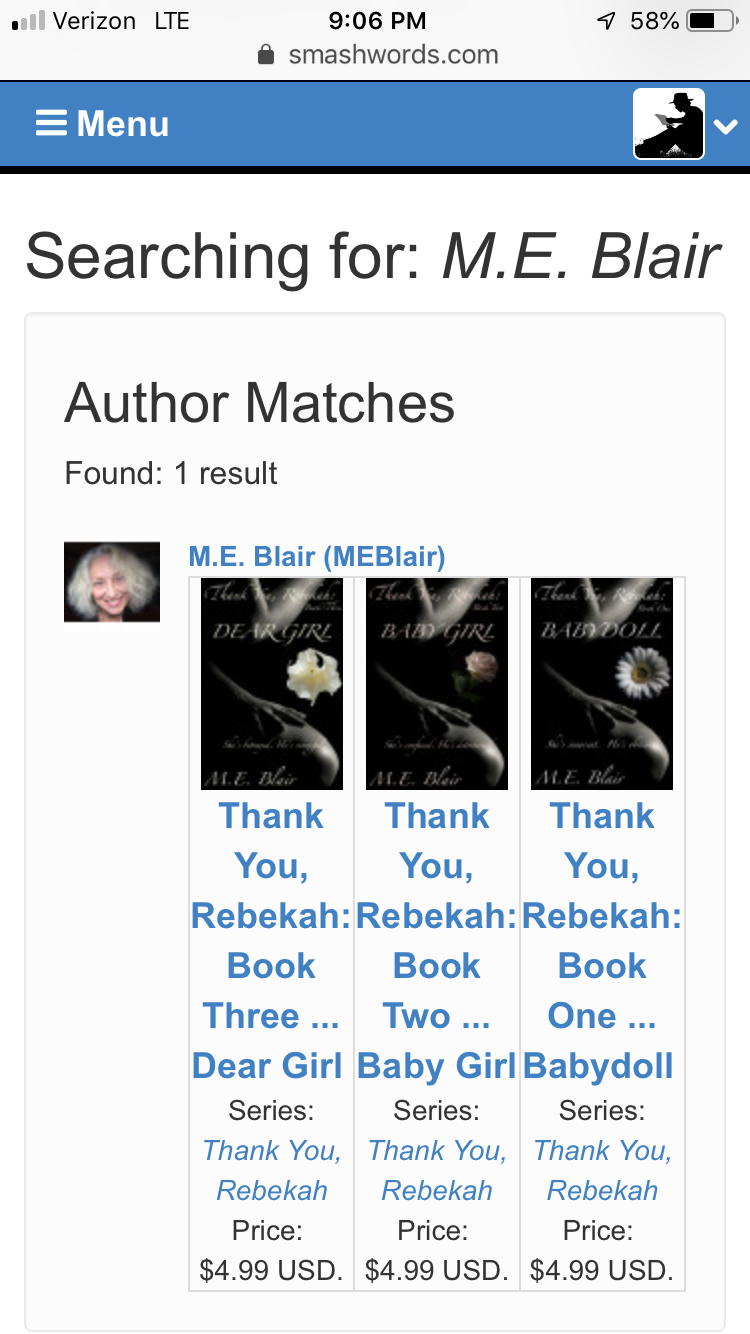
10) Options:
a. Click on "More" and read entire INTRODUCTION
AND/OR
b. Read or Download First 15% of novel for FREE, if desired:
1. Click on "epub" (downloads to your electronic device)
AND/OR
2. Click on "mobi (Kindle)" (downloads directly to a Kindle) OR
3. Click on "lrf" (supported by Sony e-book readers) OR
4. Click on "Online Reader" (to read immediately) OR
5. Click on "Send Sample to Email" (in green)

AND/OR
11) If interested, click on "Buy" (in yellow)

12) Follow Instructions for purchasing eBook


13) PAY with Credit Card or PayPal, and proceed to Checkout

14) Fill in the Billing Address (encrypted for your security)

15) Choose the format for DOWNLOADING from several options: epub, "mobi" Kindle, lrf, and so forth.
TA-DA!!! The eBook is ready for READING!!!
If this is your FIRST TIME to visit Smashwords.com, you have to "jump through a few hoops" so that they know you're not a roBOT. Don't get overwhelmed, the process takes approximately five minutes total! Read on ... and enjoy!!!
Comments